Key Takeaways
- Independent retailers need specific POS features, not generic checkout tools built for restaurants or big-box chains
- Compliance tools (ID scanning, age verification, purchase quantity limits) protect your license and reduce liability
- Automated lottery reconciliation replaces manual counting and flags discrepancies in real time
- Dual pricing offsets credit card fees instead of absorbing them as a business cost
- Real-time inventory and mobile management let you update stock and check reports from anywhere
- Feature priorities shift by store type: liquor stores lean on lottery and compliance, and grocery stores lean on EBT and inventory
- Before choosing a POS, confirm these features come standard, not bolted on through third-party workarounds
A busy Saturday afternoon shouldn’t feel like a stress test. But for a lot of independent retailers, liquor stores, grocery markets, convenience stores, and smoke shops, that’s exactly what checkout becomes when the POS system isn’t built for how they actually operate.
The right POS features are what separate a system that just rings up sales from one that actually runs your store. Generic point-of-sale software can process a transaction. What it usually can’t do is reconcile your lottery drawer, flag an underage ID at the register, or tell you why yesterday’s cash count came up short.
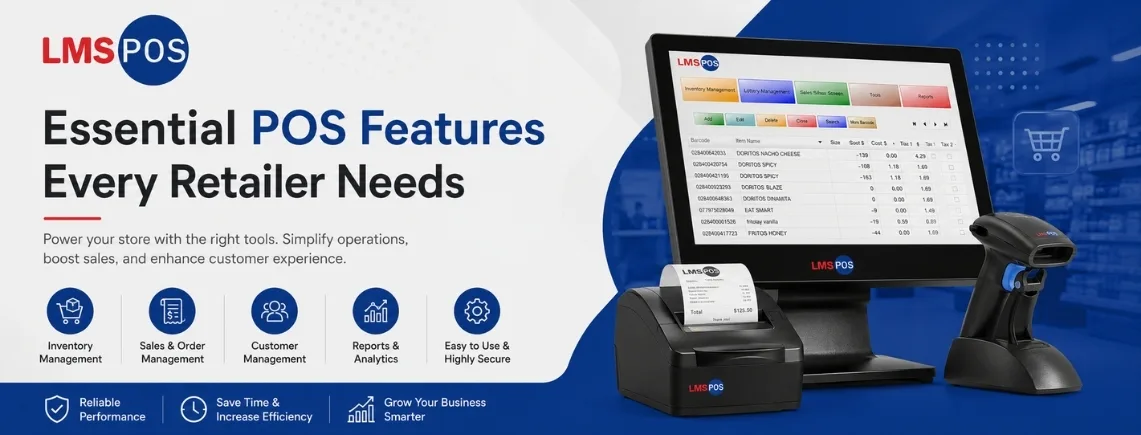
This guide breaks down the essential POS system features every retailer needs, not as a generic checklist, but as a practical look at what each feature does, why it matters, and what to look for before you buy.
13 Essential POS Features Every Retailer Needs
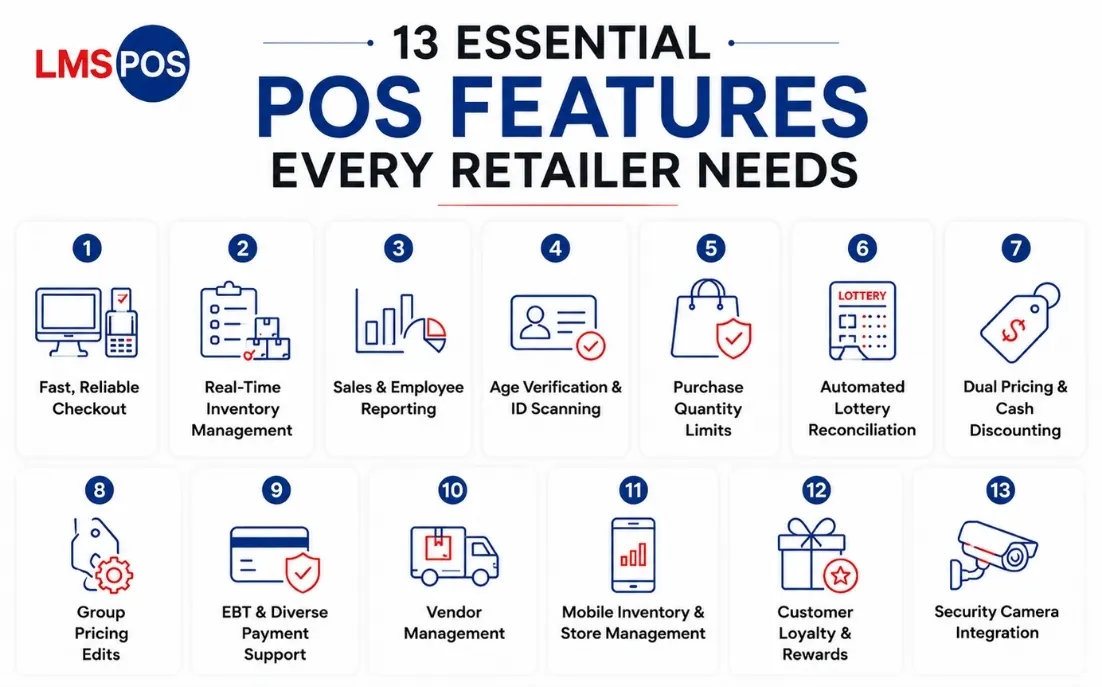
Not every POS feature carries the same weight for every store, but these eleven come up again and again for liquor, grocery, convenience, and smoke shop owners specifically. Some cover the basics every checkout counter needs. Others solve problems generic retail software simply wasn’t built to handle, from lottery reconciliation to age-restricted compliance.
Here’s what to look for in each one.
1. Fast, Reliable Checkout
Every second a customer stands at the register is a second closer to a bad review or an abandoned basket during rush hour.
Look for:
- Touchscreen interface: your staff can learn in a shift, not a week
- Fast barcode scanning for high-SKU inventory
- Smooth EMV and contactless payment acceptance
- Built-in cash drawer management
A checkout system that’s intuitive on day one keeps lines short and new hires productive immediately, instead of fumbling through menus while customers wait.
2. Real-Time Inventory Management
Inventory is where most retailers either make money or quietly lose it. If your POS system features don’t include live inventory management tracking, you’re restocking based on guesswork.
A strong inventory feature should:
- Sync stock levels automatically after every sale
- Update inventory the moment shipments are received
- Support mobile updates from the aisle, not just the register
- Track products down to the case, carton, or bottle level
This matters even more for liquor, grocery, and smoke shop owners managing thousands of SKUs, where loose tracking means overordering stock that doesn’t move or running out of what does.
Recommended Read: Liquor Store Inventory Management Guide
3. Sales & Employee Reporting
Numbers tell you what’s actually happening in your store, but only if your POS surfaces them clearly and automatically.
Reports that matter most:
- Daily sales and tax summaries, generated automatically
- Employee discrepancy reports that flag cash or register mismatches
- Top-selling and slow-moving product breakdowns
- Reports accessible remotely, not just from the in-store terminal
Automated daily reporting saves you the manual end-of-day tally and catches shrinkage before it becomes a pattern instead of a one-off.
4. Age Verification & ID Scanning
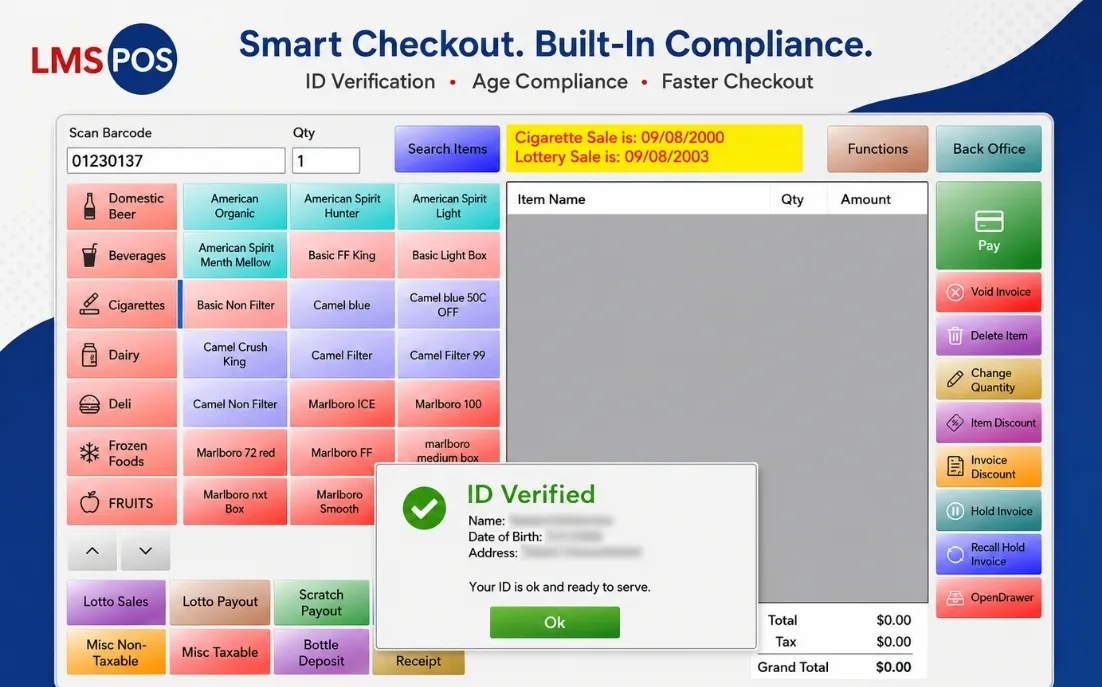
A single missed ID check can put your liquor or tobacco license at risk. Built-in ID scanning removes the guesswork from age verification at checkout.
What this should include:
- Automatic age restriction alerts triggered by the product itself, not staff memory
- ID scanning that works at normal checkout speed
- A clear compliance trail in case of an audit or inspection
- Alerts that apply consistently across every register, not just one
Compliance shouldn’t depend on which cashier is working that shift. Built-in ID scanning makes the rule automatic instead of optional.
Recommended Read: Liquor Store POS Age Verification
5. Purchase Quantity Limits
Some states cap how much of a restricted item, alcohol, tobacco, or certain OTC medications, a customer can buy in one transaction.
A POS with quantity limits should:
- Enforce caps automatically at checkout, not rely on staff memory
- Apply limits per product or per category
- Flag attempted overrides for manager review
- Update instantly when local regulations change
This protects you from accidental non-compliance without slowing down the checkout line for every other customer.
6. Automated Lottery Reconciliation
Counting lottery books by hand and matching tickets, payouts, and settlements at the end of a shift is a slow, error-prone process most owners dread.
A POS built for lottery-heavy retail should:
- Track every lottery book automatically from activation through final settlement
- Handle scratch ticket sales and payouts the same way it handles regular merchandise
- Separate lottery revenue from grocery or liquor sales for clean accounting
- Send instant alerts the moment lottery figures don’t reconcile
This single feature can save hours a week for stores with heavy lottery traffic and removes one of the most common sources of unexplained cash shortages.
7. Dual Pricing & Cash Discounting
Credit card processing fees typically run 3 to 4% per transaction, a cost most retailers just absorb without realizing there’s another option.
A strong dual pricing pos should feature:
- Display a cash price and a slightly higher card price automatically
- Enable in seconds, without a third-party add-on
- Keep pricing clearly visible and compliant at checkout
- Apply consistently across every transaction type
Dual pricing shifts the cost of card processing to the payment method itself, instead of quietly eating into your margins every month.
8. Group Pricing Edits
Manually updating prices item by item doesn’t scale once you’re carrying hundreds or thousands of SKUs.
A useful group pricing tool should let you:
- Apply price changes across an entire category in one action
- Set up mix-and-match or multi-buy promotions quickly
- Schedule pricing changes in advance
- Roll back changes just as easily if a promotion needs adjusting
What used to take a few hours of manual updates turns into a few clicks, freeing up time for the parts of the business that actually need your attention.
9. EBT & Diverse Payment Support
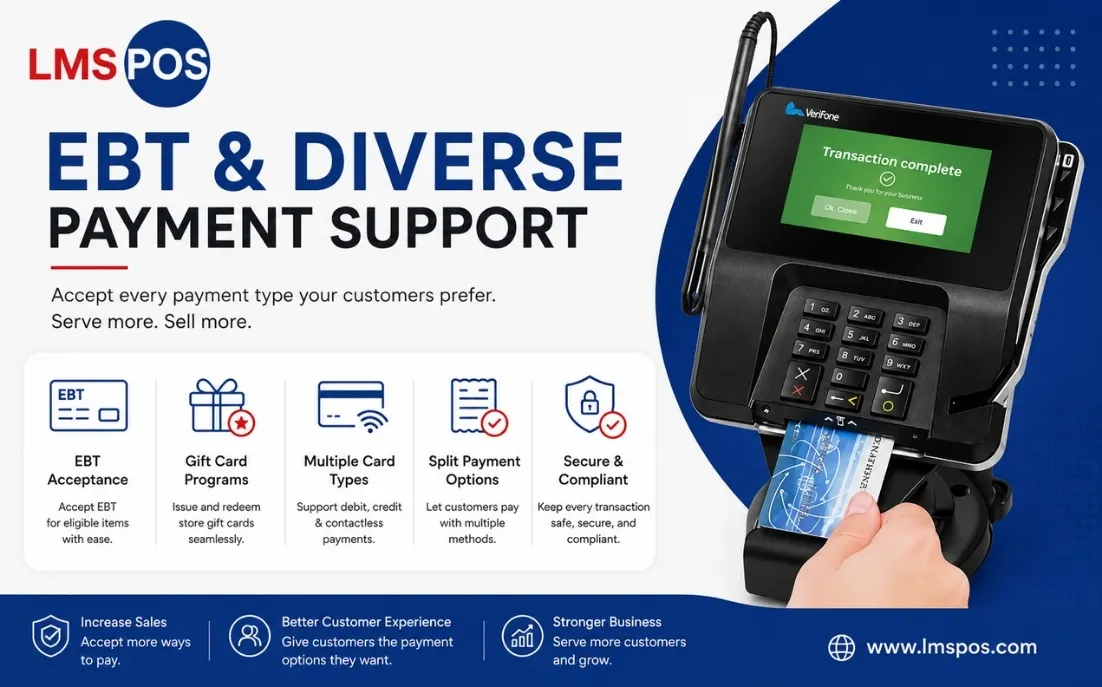
Grocery and convenience retailers need to accept more than just cards and cash to serve every customer who walks in.
Payment support should include:
- Electronic Benefits Transfer (EBT) acceptance for eligible grocery products
- Store gift card programs
- Multiple card types and contactless payments
- Split payment options at checkout
Turning away a paying customer because your POS can’t process their payment method is a lost sale that’s entirely avoidable.
10. Vendor Management
Reordering stock shouldn’t mean digging through email threads or spreadsheets to figure out who supplies what.
Vendor management should let you:
- Track supplier contact information and order history in one place
- Create and send purchase orders directly from the system
- Get low-stock alerts tied to specific vendors
- Reorder frequently purchased items with a few clicks
Keeping your supply chain inside the POS instead of scattered across tools saves time and reduces the chance of a reorder falling through the cracks.
11. Mobile Inventory & Store Management
Running a store increasingly means managing it from outside the store too, not just from behind the register.
A useful mobile POS app should let you:
- Update prices and stock levels from your phone or tablet, right from the aisle
- Receive shipments and adjust inventory the moment they arrive
- Check live sales and lottery totals from anywhere
- Work seamlessly across iPhone, iPad, and Android devices
A free, capable mobile app should be table stakes at this point, not a premium add-on you pay extra for.
12. Customer Loyalty & Rewards
Repeat customers are cheaper to keep than new ones are to find, but only if your POS makes loyalty easy to run.
A loyalty feature should let you:
- Set up points-based rewards without a third-party platform
- Send targeted discounts to repeat customers
- Track purchase history tied to loyalty accounts
- Run promotions without extra monthly fees
A built-in loyalty program keeps regulars coming back and grows revenue without paying for a separate marketing tool.
13. Security Camera Integration
Shrinkage isn’t always a reporting problem. Sometimes it’s a visibility problem.
A useful integration should let you:
- Sync your NVR security system directly with the POS
- Review footage tied to specific transactions
- Investigate discrepancies faster when something doesn’t add up
- Monitor multiple registers from one dashboard
Pairing video with transaction data turns “something’s off” into “here’s exactly what happened,” instead of a guessing game.
Looking for a POS built around how your store actually runs? See how LMS-POS handles lottery, compliance, and pricing for independent retailers.
Which POS Features Matter Most for Your Store Type?
Not every retailer needs the same feature set prioritized the same way. Here’s a quick breakdown by store type.
Store Type | Priority Features |
Lottery reconciliation, case-break inventory, age verification, dual pricing | |
EBT payments, scale integration, real-time inventory, gift cards | |
High-volume scanning, lottery tracking, fast checkout, EBT | |
Age-restricted compliance, carton/pack tracking, product variant management | |
Flexible inventory, loyalty programs, sales reporting, mobile app |
If your store fits more than one category, for example, a liquor store that also sells lottery and accepts EBT, look for a POS that covers all the relevant priorities rather than picking a system built around just one.
What to Ask Before You Choose a POS System?
Before comparing vendors, get specific about what’s actually slowing your store down. A few questions worth asking any POS provider:
- Does the system handle lottery reconciliation automatically, or is that a manual workaround?
- Is dual pricing built in, or does it require a third-party integration?
- What compliance features come standard for age-restricted products?
- Is support a real person on the phone or a ticket queue and chatbot?
- Does the mobile app come free with the plan, or is it an upsell?
If a demo can’t clearly answer these in the first few minutes, that’s worth noting before you sign anything.
LMS-POS was built around these exact questions. Lottery reconciliation runs automatically, dual pricing is included rather than bolted on, age verification and quantity limits are standard, and support means a direct line to a real technical team rather than a chatbot or ticket queue. The mobile app is free on every plan.
Final Thoughts
The right POS system does more than process sales. It saves time, protects your compliance standing, and puts money back into your business through smarter pricing and fewer errors. Before choosing a system, map its features against what actually slows your store down day to day, not just what looks good on a spec sheet.
Most retailers don’t need every feature on this list. A liquor store leans harder on lottery and compliance tools, while a grocery store cares more about EBT and scale integration. What matters is choosing a system built around your specific business, not a generic checkout tool retrofitted to handle the rest.
Ready to see how this works for your store? Contact us to find out how LMS-POS handles lottery, compliance, and pricing for stores like yours.
Frequently Asked Questions
What features should a POS system have?
At minimum, a POS system should include fast checkout, real-time inventory management, secure payment processing, and sales reporting. Retailers selling age-restricted or lottery products should also look for compliance tools, automated lottery reconciliation, and dual pricing support.
What is lottery reconciliation in a POS system?
Lottery reconciliation automatically tracks lottery ticket activations, sales, and payouts, then matches those figures against settlements to catch discrepancies. It replaces manual, end-of-shift counting with real-time tracking and alerts.
How does dual pricing work in a POS system?
Dual pricing shows a cash price and a slightly higher card price, so credit card processing fees are offset at checkout instead of absorbed by the business. Most modern POS systems let you enable it as a simple toggle.
What is a group pricing edit in POS software?
A group pricing edit lets retailers update prices, discounts, or promotions across multiple products or an entire category at once. It’s especially useful for stores with large or frequently changing inventory.
Why do retailers need vendor management in their POS?
Vendor management keeps supplier details, purchase orders, and reordering in one place. Retailers can reorder stock, monitor low inventory, and manage supplier relationships directly from the POS instead of using spreadsheets.
What is the best POS system for small, independent retailers?
The best POS for independent retailers prioritizes compliance and inventory needs specific to their business, not generic features retrofitted from restaurant or enterprise software. For liquor, grocery, and convenience stores, that means lottery management, age verification, and dual pricing.

Dipesh Shrestha
Dipesh Shrestha is the co-founder of Compro Boston, the company behind LMS-POS. With over two decades of hands-on experience in point-of-sale (POS) deployment, payment processing ecosystems, and retail hardware logistics, he specializes in building secure, highly optimized checkout environments.