
Other Retail Store
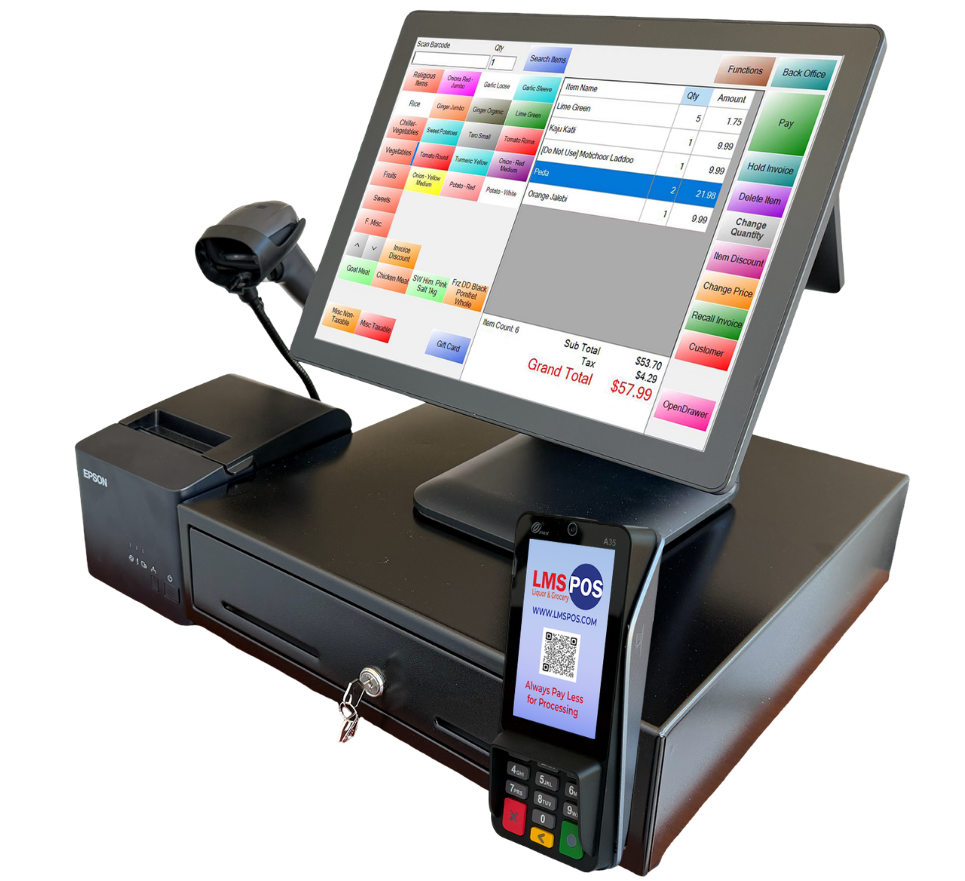
LMS POS is an all-in-one POS system for liquor, grocery, and other independent retailers. It supports unlimited products and categories, EMV payments, gift cards, and mobile inventory management, while also helping with age verification, fake ID checks, and tracking no-sale and voided transactions.
Retail POS System
LMS POS is an all-in-one POS system for liquor, grocery, and other independent retailers. It supports unlimited products and categories, EMV payments, gift cards, and mobile inventory management, while also helping with age verification, fake ID checks, and tracking no-sale and voided transactions.
Features
Every Feature Built Around How an Independent
Retailer Actually Runs
Features
Every Feature Built Around How an Independent Retailer Actually Runs
Features
Every Feature Built Around How an Independent Retailer Actually Runs
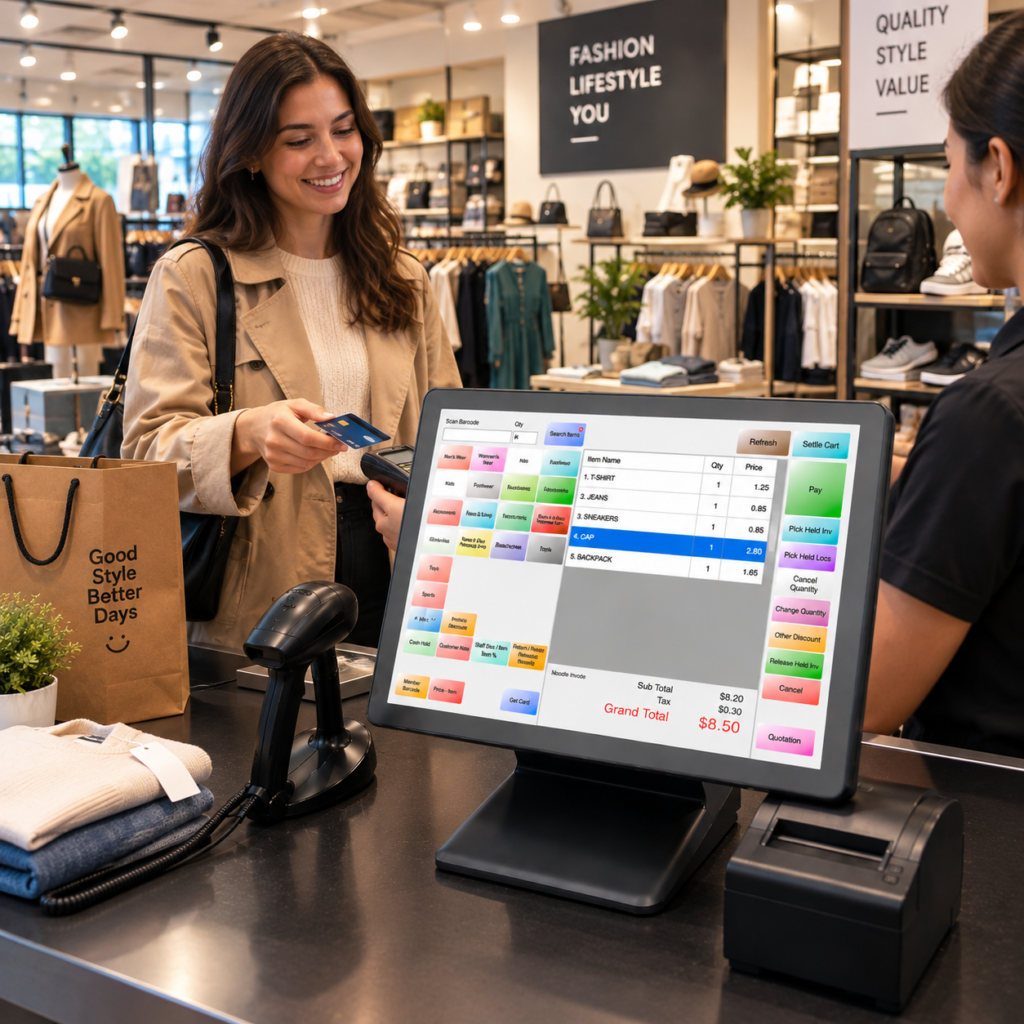
Unlimited product and inventory management
Custom departments, categories, and brands
Mobile inventory management
Bulk price editing
Spoilage and damaged item tracking
EMV, EBT, cash, and gift card payments
Dual pricing and cash discounting
Age verification and ID scanning
Fake ID detection
Cigarette scan data
Lottery management and reconciliation
Loss prevention and transaction tracking
Unlimited product and inventory management
Custom departments, categories, and brands
Mobile inventory management
Bulk price editing
Spoilage and damaged item tracking
EMV, EBT, cash, and gift card payments
Dual pricing and cash discounting
Age verification and ID scanning
Fake ID detection
Cigarette scan data
Lottery management and reconciliation
Loss prevention and transaction tracking
Unlimited product and inventory management
Custom departments, categories, and brands
Mobile inventory management
Bulk price editing
Spoilage and damaged item tracking
EMV, EBT, cash, and gift card payments
Dual pricing and cash discounting
Age verification and ID scanning
Fake ID detection
Cigarette scan data
Lottery management and reconciliation
Loss prevention and transaction tracking
One System, Built to Fit How You Actually Sell,
Not the Other Way Around
Maximize Your Business Potential with Our Innovative LMS POS System
Special Offers
Revolutionize Your Liquor Store Operations with
Our Customized LMS POS System
Maximize Your Business Potential with Our Innovative LMS POS System
Special Offers
One System, Built to Fit How You Actually Sell, Not the Other Way Around
Maximize Your Business Potential with Our Innovative LMS POS System.
Flexible Enough for the Way Your Retail Store Operates
Most retail POS platforms are built for one kind of store and stretched to fit everyone else. LMS POS was built the other way around, with case-break inventory, dual pricing, and reorder history that adapts to what you actually sell, whether that’s bottles, groceries, tobacco, or general merchandise on a shelf.
Flexible Enough for the Way Your Retail Store Operates
Most retail POS platforms are built for one kind of store and stretched to fit everyone else. LMS POS was built the other way around, with case-break inventory, dual pricing, and reorder history that adapts to what you actually sell, whether that’s bottles, groceries, tobacco, or general merchandise on a shelf.
Flexible Enough for the Way Your Retail Store Operates
Most retail POS platforms are built for one kind of store and stretched to fit everyone else. LMS POS was built the other way around, with case-break inventory, dual pricing, and reorder history that adapts to what you actually sell, whether that’s bottles, groceries, tobacco, or general merchandise on a shelf.
Software That Adapts to Your Retail Store, Not the Other Way Around
Every retail store owner has outgrown a POS that looked flexible in a demo and then locked them into one workflow once real inventory hit it. LMS POS was shaped by feedback from owners running different kinds of stores, not a features checklist, so it adapts to your product mix instead of forcing your product mix to adapt to a rigid system.
Why Choose LMS-POS?
- Case-to-unit inventory breakdown built in
- Dual pricing set up in minutes, not weeks
- Purchase orders generated from real sales data
- No recurring monthly software charges
- Camera sync tied to register activity
- Works across liquor, grocery, smoke shop, and general retail
Software That Adapts to Your Retail Store, Not the Other Way Around
Every retail store owner has outgrown a POS that looked flexible in a demo and then locked them into one workflow once real inventory hit it. LMS POS was shaped by feedback from owners running different kinds of stores, not a features checklist, so it adapts to your product mix instead of forcing your product mix to adapt to a rigid system.
Why Choose LMS-POS?
- Case-to-unit inventory breakdown built in
- Dual pricing set up in minutes, not weeks
- Purchase orders generated from real sales data
- No recurring monthly software charges
- Camera sync tied to register activity
- Works across liquor, grocery, smoke shop, and general retail
Software That Adapts to Your Retail Store, Not the Other Way Around
Every retail store owner has outgrown a POS that looked flexible in a demo and then locked them into one workflow once real inventory hit it. LMS POS was shaped by feedback from owners running different kinds of stores, not a features checklist, so it adapts to your product mix instead of forcing your product mix to adapt to a rigid system.
Why Choose LMS-POS?
- Case-to-unit inventory breakdown built in
- Dual pricing set up in minutes, not weeks
- Purchase orders generated from real sales data
- No recurring monthly software charges
- Camera sync tied to register activity
- Works across liquor, grocery, smoke shop, and general retail
Get Your Pricing
Please provide a few basic details and we’ll email you your Retail POS pricing instantly.
Get Your Pricing
Please provide a few basic details and we’ll email you your Retail POS pricing instantly.
Get Your Pricing
Please provide a few basic details and we’ll email you your Retail POS pricing instantly.
Frequently Asked Questions
Have another question? Please contact our team!
What is the best retail POS system for small businesses?
For a small business, the best retail POS system is the one that keeps checkout simple without making you juggle five other tools for inventory, pricing, and reporting. LMS POS was built with that in mind, real-time inventory, barcode scanning, dual pricing, purchase orders, loyalty tools, and mobile inventory management, all in the same system independent retailers already check every day.
Which retail POS system offers the best inventory management?
A retail inventory system is only as good as how fast it catches up with reality, stock should update the moment something sells, gets returned, or comes in on a delivery truck. LMS POS does that in real time and adds case-to-unit breakdowns, mobile inventory counts, purchase orders, and sales history on top, so restocking is a decision backed by data instead of a guess.
How much does a retail POS system cost?
Pricing swings based on how many registers you’re running, what hardware you already have, and which features actually matter to your store. One thing that’s fixed: LMS POS doesn’t charge a recurring monthly or annual software fee, so you’re not adding another subscription to the pile every month. Request a quote and you’ll get numbers built around your actual setup, not a generic starting price.
Does a retail POS system support dual pricing?
It does with LMS POS, you set a cash price and a card price once, right inside the system, and checkout takes it from there. No mental math for your cashiers, no second terminal bolted on the side, just the correct price applied automatically depending on how the customer pays.
Can I import my existing inventory into a retail POS system?
You can, and it’s usually the difference between switching POS systems in an afternoon versus over a painful weekend. LMS POS supports importing your existing inventory, so a store with thousands of SKUs doesn’t have to rebuild that catalog item by item just to get off their old system.
What retail POS system is best for high-volume transactions?
When the line’s out the door, what actually matters is fast barcode scanning, quick checkout, and inventory that doesn’t fall behind the moment things get busy. LMS POS is built to hold up under that kind of pressure, employees keep moving through a rush while sales and stock counts stay accurate in the background, not catching up an hour later.
Does a retail POS system offer customer loyalty features?
Yes, and with LMS POS it’s not a bolt-on add-on, loyalty features sit alongside special pricing, discounts, coupons, and promotions in the same system. That gives retailers a real way to reward the customers who keep walking back through the door, not just a punch card taped to the register.
Which retail POS system has the best reporting and analytics?
A daily sales total tells you almost nothing on its own, the useful reporting shows what’s actually driving or draining your margin. LMS POS goes past the basic number with sales history, COGS, margin, and inventory turnover reports, so owners can spot a slow-moving product before it ties up cash on a shelf.
Can a retail POS system manage multiple store locations?
It can, and LMS POS supports multi-location inventory specifically so opening a second or third store doesn’t mean running everything on separate spreadsheets. You get one clearer view of what’s happening across every location instead of stitching reports together by hand.
Does a retail POS system support barcode scanning and label printing?
Yes, barcode scanning speeds up checkout, and LMS POS also lets you print your own product and shelf labels in-house. That matters more than it sounds: any time a price or a SKU changes, you’re not waiting on an outside vendor to reprint anything.
Frequently Asked Questions
Have another question? Please contact our team!
What is the best retail POS system for small businesses?
For a small business, the best retail POS system is the one that keeps checkout simple without making you juggle five other tools for inventory, pricing, and reporting. LMS POS was built with that in mind, real-time inventory, barcode scanning, dual pricing, purchase orders, loyalty tools, and mobile inventory management, all in the same system independent retailers already check every day.
Which retail POS system offers the best inventory management?
A retail inventory system is only as good as how fast it catches up with reality, stock should update the moment something sells, gets returned, or comes in on a delivery truck. LMS POS does that in real time and adds case-to-unit breakdowns, mobile inventory counts, purchase orders, and sales history on top, so restocking is a decision backed by data instead of a guess.
How much does a retail POS system cost?
Pricing swings based on how many registers you’re running, what hardware you already have, and which features actually matter to your store. One thing that’s fixed: LMS POS doesn’t charge a recurring monthly or annual software fee, so you’re not adding another subscription to the pile every month. Request a quote and you’ll get numbers built around your actual setup, not a generic starting price.
Does a retail POS system support dual pricing?
It does with LMS POS, you set a cash price and a card price once, right inside the system, and checkout takes it from there. No mental math for your cashiers, no second terminal bolted on the side, just the correct price applied automatically depending on how the customer pays.
Can I import my existing inventory into a retail POS system?
You can, and it’s usually the difference between switching POS systems in an afternoon versus over a painful weekend. LMS POS supports importing your existing inventory, so a store with thousands of SKUs doesn’t have to rebuild that catalog item by item just to get off their old system.
What retail POS system is best for high-volume transactions?
When the line’s out the door, what actually matters is fast barcode scanning, quick checkout, and inventory that doesn’t fall behind the moment things get busy. LMS POS is built to hold up under that kind of pressure, employees keep moving through a rush while sales and stock counts stay accurate in the background, not catching up an hour later.
Does a retail POS system offer customer loyalty features?
Yes, and with LMS POS it’s not a bolt-on add-on, loyalty features sit alongside special pricing, discounts, coupons, and promotions in the same system. That gives retailers a real way to reward the customers who keep walking back through the door, not just a punch card taped to the register.
Which retail POS system has the best reporting and analytics?
A daily sales total tells you almost nothing on its own, the useful reporting shows what’s actually driving or draining your margin. LMS POS goes past the basic number with sales history, COGS, margin, and inventory turnover reports, so owners can spot a slow-moving product before it ties up cash on a shelf.
Can a retail POS system manage multiple store locations?
It can, and LMS POS supports multi-location inventory specifically so opening a second or third store doesn’t mean running everything on separate spreadsheets. You get one clearer view of what’s happening across every location instead of stitching reports together by hand.
Does a retail POS system support barcode scanning and label printing?
Yes, barcode scanning speeds up checkout, and LMS POS also lets you print your own product and shelf labels in-house. That matters more than it sounds: any time a price or a SKU changes, you’re not waiting on an outside vendor to reprint anything.
Frequently Asked Questions
Have another question? Please contact our team!
What is the best retail POS system for small businesses?
For a small business, the best retail POS system is the one that keeps checkout simple without making you juggle five other tools for inventory, pricing, and reporting. LMS POS was built with that in mind, real-time inventory, barcode scanning, dual pricing, purchase orders, loyalty tools, and mobile inventory management, all in the same system independent retailers already check every day.
Which retail POS system offers the best inventory management?
A retail inventory system is only as good as how fast it catches up with reality, stock should update the moment something sells, gets returned, or comes in on a delivery truck. LMS POS does that in real time and adds case-to-unit breakdowns, mobile inventory counts, purchase orders, and sales history on top, so restocking is a decision backed by data instead of a guess.
How much does a retail POS system cost?
Pricing swings based on how many registers you’re running, what hardware you already have, and which features actually matter to your store. One thing that’s fixed: LMS POS doesn’t charge a recurring monthly or annual software fee, so you’re not adding another subscription to the pile every month. Request a quote and you’ll get numbers built around your actual setup, not a generic starting price.
Does a retail POS system support dual pricing?
It does with LMS POS, you set a cash price and a card price once, right inside the system, and checkout takes it from there. No mental math for your cashiers, no second terminal bolted on the side, just the correct price applied automatically depending on how the customer pays.
Can I import my existing inventory into a retail POS system?
You can, and it’s usually the difference between switching POS systems in an afternoon versus over a painful weekend. LMS POS supports importing your existing inventory, so a store with thousands of SKUs doesn’t have to rebuild that catalog item by item just to get off their old system.
What retail POS system is best for high-volume transactions?
When the line’s out the door, what actually matters is fast barcode scanning, quick checkout, and inventory that doesn’t fall behind the moment things get busy. LMS POS is built to hold up under that kind of pressure, employees keep moving through a rush while sales and stock counts stay accurate in the background, not catching up an hour later.
Does a retail POS system offer customer loyalty features?
Yes, and with LMS POS it’s not a bolt-on add-on, loyalty features sit alongside special pricing, discounts, coupons, and promotions in the same system. That gives retailers a real way to reward the customers who keep walking back through the door, not just a punch card taped to the register.
Which retail POS system has the best reporting and analytics?
A daily sales total tells you almost nothing on its own, the useful reporting shows what’s actually driving or draining your margin. LMS POS goes past the basic number with sales history, COGS, margin, and inventory turnover reports, so owners can spot a slow-moving product before it ties up cash on a shelf.
Can a retail POS system manage multiple store locations?
It can, and LMS POS supports multi-location inventory specifically so opening a second or third store doesn’t mean running everything on separate spreadsheets. You get one clearer view of what’s happening across every location instead of stitching reports together by hand.
Does a retail POS system support barcode scanning and label printing?
Yes, barcode scanning speeds up checkout, and LMS POS also lets you print your own product and shelf labels in-house. That matters more than it sounds: any time a price or a SKU changes, you’re not waiting on an outside vendor to reprint anything.