TL;DR
- Track every product by brand, size, and category
- Set minimum stock levels so popular items never run out
- Count regularly to catch shrinkage early
- Use barcode scanning and POS software, spreadsheets fall apart past a couple hundred SKUs
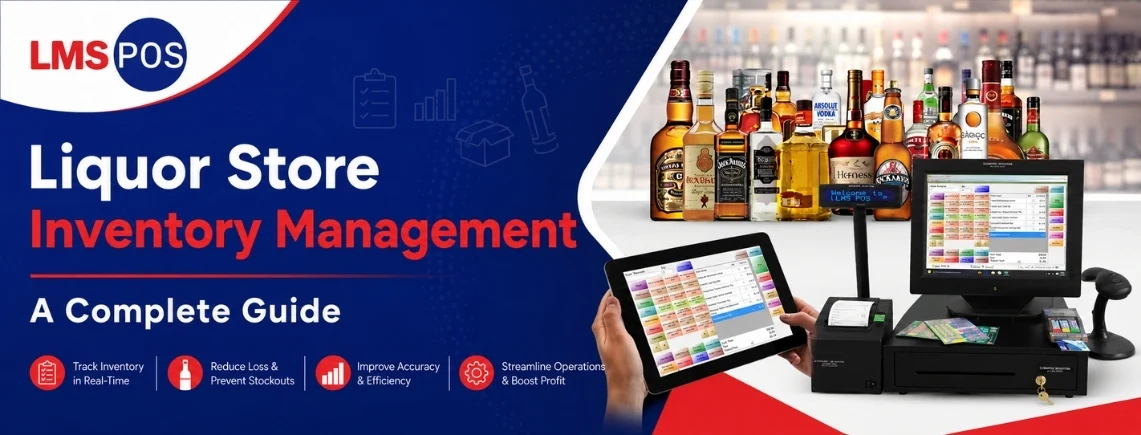
Liquor store inventory management means keeping track of every bottle by brand, size, and quantity, making sure you know what is on the shelf, what is in the stockroom, and what needs to be reordered. It also means counting your stock regularly so things like theft, breakage, misplaced bottles, or simple counting mistakes don’t quietly add up over time.
It sounds pretty straightforward until you’re actually managing hundreds of products, different bottle sizes, and a busy team. One brand can easily turn into several SKUs once you add different sizes, and each of those products can sell at a different rate.
Liquor stores also tend to work with fairly thin margins, so even small inventory mistakes can have a noticeable impact on profits. The bigger the store gets, the harder it becomes to rely on memory or a spreadsheet alone, which is why having a consistent inventory system becomes so important.
A shrinkage problem that goes unnoticed for a quarter can quietly wipe out most of that quarter’s profit, and by the time it shows up in the books, the damage is already done.
What Is Liquor Store Inventory Management?
At its core, liquor store inventory management covers the full cycle a product goes through in your store. It starts when you place a purchase order, moves through receiving and storing, and ends with the sale and the reconciliation afterward. Every step either keeps your numbers accurate or introduces a gap somewhere. When those gaps start adding up, it becomes harder to know what you actually have on the shelf, what needs to be reordered, and where you’re losing money.
What makes this harder than most retail is bottle size. A vodka brand might come in 50ml, 750ml, and 1.75L, and each one is its own SKU with a different sell rate, price, and shelf spot. You’re not just tracking a brand; you’re tracking every variation of that brand separately.
A store carrying two hundred brands might actually be tracking six hundred products once sizes are counted in. Add different categories, case quantities, fast and slow-moving products, and stockroom inventory, and keeping those numbers accurate can get complicated pretty quickly. That’s why having a clear inventory system matters as a liquor store grows.
Looking for a simpler way to manage liquor store inventory? LMS POS helps you track stock, manage sales, and keep your liquor inventory organized from one place.
Why Is Inventory Control Important for Liquor Stores?

Poor inventory control shows up the same way in almost every store, and most owners have lived through all of it at some point.
- Stockouts: A popular product runs dry and nobody notices for days. That is a sale walking straight to the store down the street, and plenty of customers just do not come back to check.
- Overstock and dead stock: Cases of something slow moving sit in the back for months, quietly taking up cash and shelf space that could be working harder somewhere else.
- Shrinkage: Theft, breakage, a typo here and there, it all chips away at margins that were already thin to begin with. Without tracking it, you have no real idea if you are losing half a percent or five percent of your revenue.
- Cash stuck in inventory: Every bottle on the shelf is money you already spent. The longer it sits, the less room you have to buy what customers are actually asking for.
Underneath all of it is accuracy. When what your system says does not match what is physically on the shelf, every decision built on that number, reordering, reporting, all of it, is built on something shaky.
And at the end of the day, this is really just about profit. Getting inventory right is not only about avoiding losses, it is about freeing up cash and shelf space for the stuff that actually sells. A store that has its numbers right can move fast when something is working, doubling down on a bourbon that is flying off the shelf, or catching a slow seller early enough to clear it out before it becomes dead weight for another two months. That kind of speed does not come from working harder, it comes from actually trusting the numbers in front of you, which is really the whole point of doing any of this in the first place.
Run Your Liquor Store Smarter With LMS POS
Have a liquor store and need a reliable POS system to manage everyday sales?
LMS POS is a liquor store POS system designed to help you verify customer age, manage inventory, process sales, and generate monthly sales reports. Keep your store organized and get a clearer view of your business with one easy-to-use system. Explore LMS POS today and see how it can simplify your liquor store operations.
What Are the Key Components of Liquor Store Inventory Management?
A working inventory system is really a handful of smaller pieces working together.
Component | Purpose |
SKU management | Track individual products, including size and brand variations |
Barcode scanning | Reduce manual entry and the errors that come with it |
Par levels | Maintain a desired minimum amount of stock on hand |
Reorder points | Trigger a new order before stock actually runs out |
Cycle counts | Verify what is physically on the shelf against your records |
Receiving | Keep incoming stock accurate from the moment it arrives |
Shrinkage tracking | Identify where and how inventory is being lost |
Inventory reporting | Support smarter purchasing decisions going forward |
None of these work in isolation. A barcode scan at checkout updates your stock count, which feeds into par levels, triggers a reorder, and shows up in your reporting. A liquor store age verification system adds another important layer by helping verify customer age during checkout. When one piece is missing, the whole loop can drift out of sync with reality.
Think of it less like a checklist and more like a chain. Skip barcode scanning and your SKU data gets messy fast. Ignore receiving and your par levels work from inaccurate numbers. Let cycle counts slide and shrinkage tracking has nothing real to compare against. With connected tools, your inventory, sales, reporting, and age verification work together, helping you run a store that trusts its numbers instead of guessing every time it places an order.
How to Set Up Inventory Management in 5 Steps
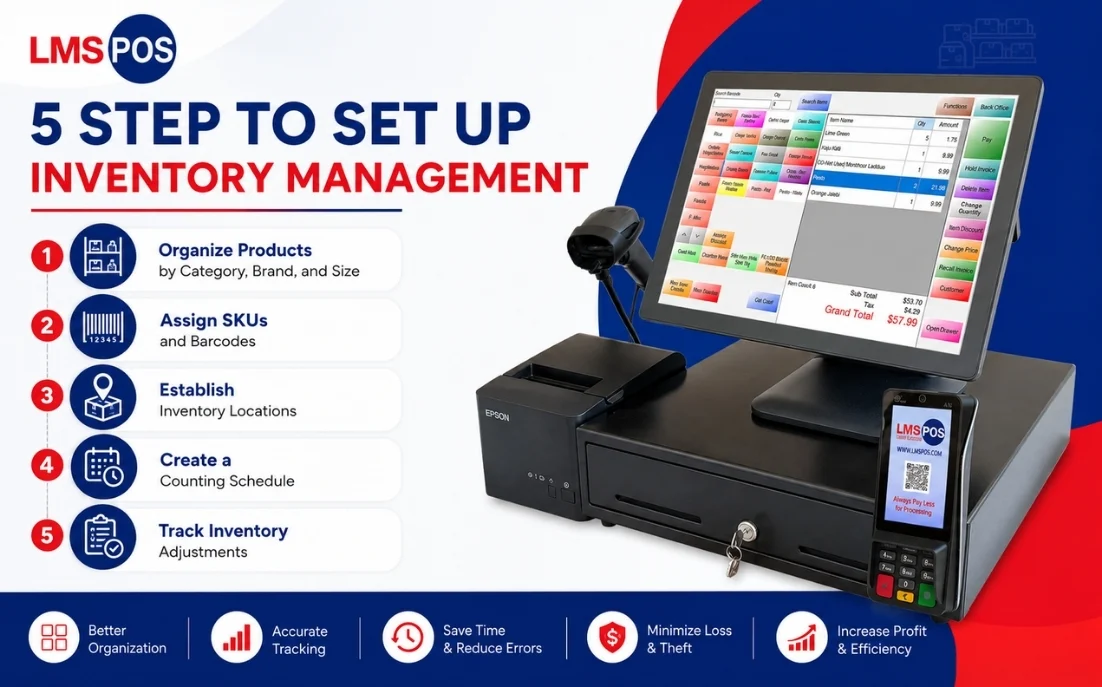
None of inventory management needs a massive overhaul on day one. Most stores can build a working system in five steps, and the same framework holds up whether you are running one small shop or a growing chain.
Things to take note of whensetting up a POS system:
- POS terminal desktop, tablet, or mobile, depending on your counter space and mobility needs
- Barcode scanner and cash drawer wired or wireless, paired with automatic drawer release
- Receipt printer thermal printing for fast, reliable receipts, digital receipt option included
- EMV card reader chip, tap, Apple Pay, and Google Pay support built in
1. Organize Products by Category, Brand, and Size
Start simple, group everything into beer, wine, spirits, and whatever else you carry. It sounds almost too obvious to mention, but plenty of stores skip this step entirely and just wing it, which is usually the first crack in the whole system.
From there, break each category down by brand, then by bottle or pack size. This is the boring part nobody wants to tackle first, the part that feels like busywork when you would rather be focused on the stuff that actually brings customers in, but it is what makes everything else on this list actually work.
You cannot set real par levels or pull useful reports out of a jumbled product list, no matter how good your software is or how hard you try. Garbage organization means garbage numbers out, every time.
2. Assign SKUs and Barcodes
Every product variation gets its own SKU, no shortcuts here, even when it feels like overkill to give a tiny size variant its own line in the system. It is tempting to lump similar products together just to save a few minutes of setup, but that shortcut always costs more time later than it saves now.
A 750ml and a 1L of the same brand are two different products that sell at two different speeds, and treating them as one will throw your counts off sooner than you’d think, sometimes within the first week. One size might be your steady weekday seller while the other only moves around the holidays, and if they’re tracked as a single line item, you will never actually know which one is driving your numbers.
Once SKUs are in place, barcode scanning takes over the tedious part, both at checkout and during receiving. A scan takes a second, a manual entry takes longer and leaves room for a typo, a skipped digit, a number transposed without anyone catching it. Over weeks and months, those small manual slips are exactly the kind of thing that quietly eliminates your ability to trust your own numbers, and barcode scanning just removes that risk from the equation entirely.
3. Establish Inventory Locations
It helps to know where your products are, not just how many you have. Keep the stock on the sales floor separate from what you have in the stockroom, and try to give everything a regular place. That way, staff don’t have to waste time looking around whenever they need to restock or check a count. For higher-value bottles like allocated bourbons, aged spirits, premium champagne, or limited releases, it’s also a good idea to keep them in a secure area where access is limited.
It sounds like a small thing, but it can save you a lot of headaches. We’ve all seen the situation where a customer asks for a bottle, a staff member checks the shelf, sees it’s empty, and says you’re out of stock. Then someone checks the back and finds three cases sitting there. Keeping products in clearly labeled and consistent locations makes those situations much less likely. It also makes counting easier and helps your inventory records stay closer to what you actually have in the store.
4. Create a Counting Schedule
You don’t need to count everything every day, but you do need a schedule that you can actually stick to. A good approach is to do a full physical inventory once or twice a year, then use smaller cycle counts every week or two to keep things in check. The full count gives you a clear picture of where your inventory stands, while the smaller counts help catch problems before they have time to turn into bigger ones.
Not every product needs the same level of attention, either. Your fastest-selling and most expensive bottles should be counted more often than products that barely move. There’s not much point in checking an obscure bottle of amaro as often as your best-selling vodka. What matters most is consistency. Even a simple counting routine that your team follows regularly will tell you much more than random counts done only when something seems wrong. By the time an inventory problem starts to feel obvious, you’ve probably already lost time, money, or both.
5. Track Inventory Adjustments
Every bottle that leaves your shelf without a sale needs to be written down somewhere, breakage, spillage, returns, tastings, samples, honest mistakes, all of it. It feels like extra paperwork at the moment, especially on a busy day when logging a broken bottle is the last thing on anyone’s mind, but skipping it is how a system quietly stops matching reality.
Skip this long enough and your numbers will eventually show a mismatch nobody can explain, and by then you are stuck guessing whether it was theft, a bad count, or just three months of small unlogged losses stacking up. Build the habit early, even a rough note is better than nothing, and it saves you hours of guesswork when it actually matters.
If you are still using a cash register? You may be missing out on faster checkout, real-time inventory tracking, detailed sales reports, and other features a POS system offers. See the difference in our Cash Register vs. POS System guide.
How to Organize a Liquor Store Stockroom
A disorganized stockroom slows everything else down. Staff waste time hunting for product, and counts end up taking twice as long as they should.
- Product organization. Mirror how you organize the sales floor, category, then brand, then size, so anyone on staff can find what they need without guessing.
- Case vs individual bottles. Keep full cases separate from opened cases and loose bottles. Mixing them slows counting down and raises the odds of a miscount.
- Fast moving and high value products. Keep these closest to the door for easy restocking. Slower movers can sit further back.
- Storage location. Anything worth locking up on the sales floor deserves the same level of security in the stockroom, not just a spot on an open shelf.
If you want, I can go back through the earlier sections of the doc and flag any other spots where a table got used but bullets would actually serve it better, just so the whole piece stays consistent.
How to Reduce Liquor Store Inventory Shrinkage
Shrinkage rarely comes from one single cause. It is usually a handful of small leaks that add up over time.
- Theft, from customers and occasionally staff, tends to concentrate on high value, easy to conceal items.
- Breakage happens during handling, restocking, or from bottles sitting too long in bad storage conditions.
- Receiving errors slip in when deliveries aren’t checked against the invoice before they’re signed for.
- Spillage from tastings, samples, or accidents rarely gets logged unless there’s a specific process for it.
- Inventory discrepancies, a miscount here, a data entry slip there, quietly stack up until a full count turns up a number nobody can explain.
The fix for most of these isn’t a single tool, it’s consistency. Check deliveries at the door, log every adjustment as it happens, and count on a real schedule. That alone closes most of these gaps before they get expensive.
How to Manage Fast and Slow Moving Liquor Inventory
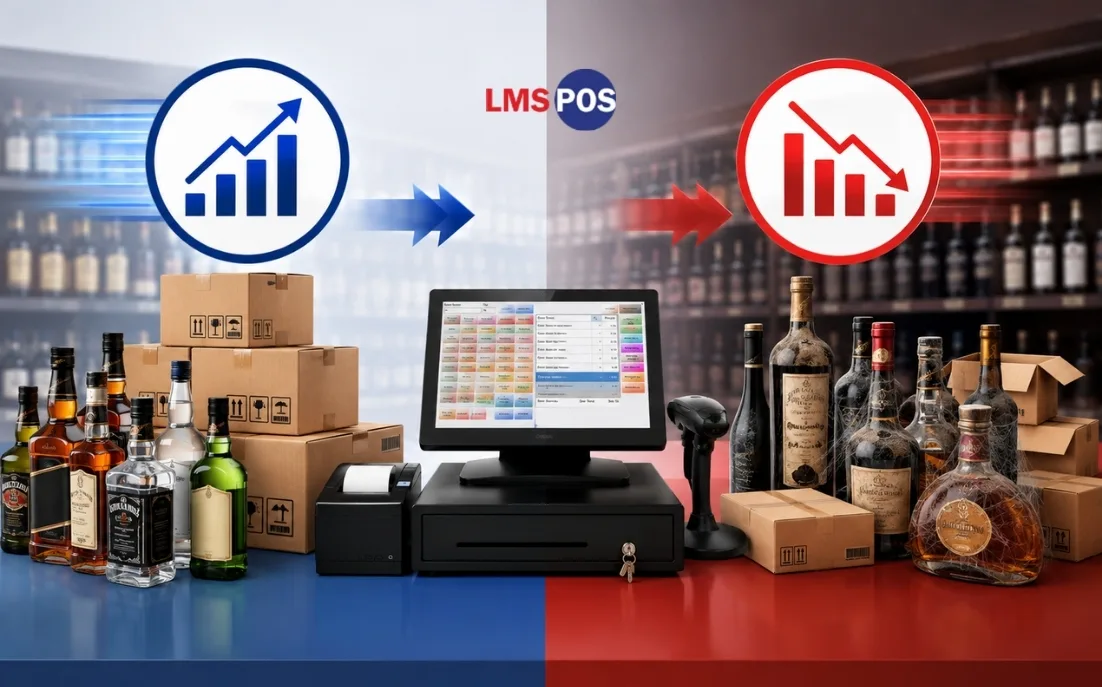
Not every product on your shelf deserves the same attention. Treating them all the same is one of the easiest ways a store bleeds time and money without realizing it.
Start by pulling your sales data and seeing what actually moves fast versus what just sits there for weeks. You do not need fancy software for this part, a quick look at the last few months usually makes it obvious, some bottles fly off the shelf, others have not budged since the day you stocked them.
Fast movers need tighter reorder points and more frequent counts, because running out of a top seller costs you real money, not just an apology to a disappointed customer. Someone walks in looking for their usual bottle, sees an empty spot, and just drives to the next store instead of waiting around for you to restock.
Slow movers need the opposite kind of attention, a regular check in to decide if they need a discount, a bundle deal, or a trip back to the distributor before they turn into permanent shelf clutter. Left alone, these are the bottles quietly hogging your best real estate and tying up cash that could be doing something useful elsewhere in the store.
This is really just ABC analysis, dressed in plain language.
- A items are your fast movers, the ones bringing in most of your revenue. These get the closest attention.
- B items move at a steady, unremarkable pace. Check in on them periodically, nothing urgent.
- C items are the slow movers quietly eating up capital and shelf space. Ironically, these are the ones that need the most active management, not the least..
Want an easier way to track fast- and slow-moving products? Learn what is a retail POS system and how it can help you manage inventory, sales, and reordering more efficiently.
Manual Spreadsheets vs POS vs Dedicated Inventory Software
The right system depends almost entirely on how many SKUs you are managing and how many locations you run.
Solution | Best For | Pros | Cons |
Excel / Spreadsheets | Under 300 SKUs, new stores | Low cost, flexible | High error rate, no real time sync |
POS with native inventory | 300 to 3,000 SKUs, single location | Real time sync, simple | Limited forecasting |
Dedicated inventory software | 3,000+ SKUs, multi store | Advanced analytics, scales well | Higher cost, longer setup |
A spreadsheet can genuinely work for a small store just getting started. It is cheap, it is flexible, and if you are the type of owner who checks in on it daily, it will do the job. The catch is that it depends entirely on someone actually sitting down and updating it every time, and that habit tends to slip the moment the store gets busy. A slow Tuesday afternoon is fine for typing in numbers, a packed Friday night is not, and that is usually when the gaps start creeping in.
A point of sale system with inventory built in is where most established single location stores end up, and for good reason. It updates your counts automatically the moment a sale happens, so nobody has to remember to log anything by hand. You still get the occasional hiccup, a miscount here, a scan that did not register there, but overall it takes the guesswork out of day to day tracking without asking much extra of your staff.
Dedicated inventory software starts to earn its keep once a store is managing a few thousand SKUs or running more than one location. At that point, forecasting, purchase order automation, and cross location reporting stop being nice extras and start saving real hours every week. It costs more and takes longer to set up than the other two options, but for a store at that scale, the time it gives back usually pays for itself pretty quickly.
What Should You Look for in Liquor Store Inventory Software?
Not all inventory software is built with liquor retail in mind, so it helps to know what actually matters before you start comparing options.
- Real time updates: Stock counts should sync the moment a sale happens, not an hour later.
- Barcode and SKU management: It needs to handle multiple sizes of the same brand without a fight.
- Automated reordering. It should alert you, or better, generate a purchase order, once stock hits a set threshold.
- Receiving tools: You want an easy way to check a delivery against the original order before you sign for it.
- Reporting that goes deeper than totals: Look for numbers broken down by category and brand, not just one big revenue figure.
- Case break tracking: Liquor is bought by the case but sold by the bottle, and not every system handles that split cleanly. Worth checking for specifically.
- Employee controls: Permission levels for who can adjust counts or approve write offs matter more than most owners expect, usually right around the time something goes missing and nobody can explain it.
Looking for these features in one place? Explore LMS POS features built to help liquor stores manage inventory, sales, employees, and more.
Final Thoughts
Inventory management is not a once a year chore you push through before tax season. It is a daily rhythm, one that either quietly supports your business or quietly works against it, depending on whether anyone is actually paying attention day to day. Start with an accurate baseline count, because nothing after that matters if the starting number is wrong. Put real par levels in place for your top movers, the products that actually pay the bills, and let your reordering run on data instead of whatever you remember from last week, since memory is a bad inventory system, it forgets, it guesses, and it is usually the first thing to go when a store gets busy.
The stores that get this right are not necessarily the ones with the fanciest software sitting on their counter. They are the ones that show up and do the small, unglamorous things every single day, checking a delivery, logging a broken bottle, counting a shelf that probably did not need it but got counted anyway. If your current system feels like it is held together with sticky notes and good intentions, that is usually the sign, not that you are failing, just that you have outgrown whatever you started with, and it is time to move to something built for the way liquor retail actually works.
Ready to see what this looks like in practice? Contact us and find out how the right system handles SKU tracking, par levels, and reorders for your store.
Frequently Asked Questions
What is the best way to manage liquor inventory?
The most reliable approach combines barcode scanning, automated par levels through a point of sale system, and a regular cycle counting schedule. Manual spreadsheets can work for very small stores, but they tend to fall behind once a store passes a few hundred SKUs.
2. What is the 80/20 rule in inventory?
The 80/20 rule, often called ABC analysis in inventory terms, is the idea that roughly 20 percent of your products typically generate about 80 percent of your revenue. Those top performers deserve the tightest tracking and the most frequent counts, while the remaining products can be reviewed on a longer cycle.
How do you measure open liquor bottles for inventory?
Most stores just eyeball it, a visual tenths scale, guessing how full a bottle is in ten percent increments. Fine for regular floor stock. For high value spirits or a tasting bar, a gram level scale gets you a much more accurate read.
How often should a liquor store conduct inventory counts?
A full count once or twice a year is standard, usually around tax season or a slower stretch. Beyond that, weekly or biweekly cycle counts on rotation will catch problems way before the next full count would
How do you handle broken cases or single bottle sales?
Track cases and individual bottles as separate units within your point of sale system rather than lumping them into one line item. This is often called case break tracking, and without it, selling single bottles out of a case will throw off your master stock count fairly quickly.
Is a Liquor store POS system suitable for small businesses?
Definitely. You don’t need to be running a chain of stores to benefit. Small business liquor POS software gives you the same core tools for handling sales, stock, payments, and customers at a price that makes sense, and it can grow alongside you.

Dipesh Shrestha
Dipesh Shrestha is the co-founder of Compro Boston, the company behind LMS-POS. With over two decades of hands-on experience in point-of-sale (POS) deployment, payment processing ecosystems, and retail hardware logistics, he specializes in building secure, highly optimized checkout environments.