TL;DR
- The Core Difference: A cash register is a standalone device ($100–$500 upfront, zero monthly fees) built solely to ring up sales and store cash locally. A POS system combines hardware and cloud software to automate checkouts, track real-time inventory, collect customer data, and sync online and in-store sales.
- The Verdict: Cash registers are ideal for small, single-location, cash-heavy pop-ups or food trucks; POS systems are essential for growing, multi-location, or omnichannel businesses that need automated data and deep analytics.
If you’re opening or running a retail store, café, restaurant, salon, or any business where customers actually show up, one of the first things you’ll bump into is deciding on a cash register vs. POS system. Many owners run into this question right when they are just starting out or when they finally upgrade from some old-school checkout setup that’s dragging them down.
Here’s the real deal, though: a cash register and a POS system aren’t the same. Sure, both can help you handle transactions, but they’re built very differently, with different features, different functions, and different ways they support day-to-day operations. That’s why you’ll see so many people looking around for cash register vs. POS system, or sometimes POS system vs. cash register, before they spend money.
In this guide, we’ll walk through the key differences between a cash register and a POS system, compare what they offer, their advantages, and their typical criteria, so you can figure out which option fits your business best.
What Is a Cash Register?
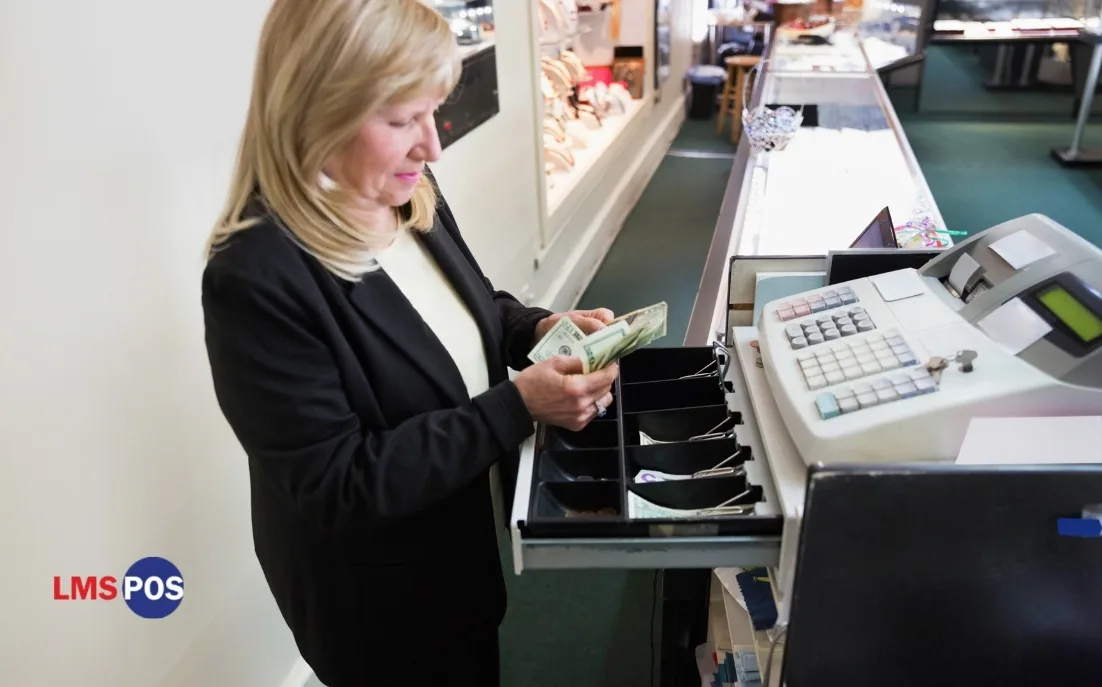
A cash register, also known as a “till,” is a device used to process sales, store cash, and print customer receipts. It is designed for basic checkout tasks and is commonly used by small retail stores and businesses.
A cash register performs three main functions: recording sales, storing cash securely, and printing receipts. While today’s electronic models are faster and easier to use, their core purpose has remained the same for decades.
A typical electronic cash register setup includes:
- A keypad or touchscreen for entering prices
- A drawer that holds notes and coins
- A small printer for receipts
How a Cash Register Actually Works Day to Day?
Using a cash register is simple and follows the same process every day:
- Start the day by placing the opening cash float in the drawer.
- Enter each item’s price manually or using department keys.
- Accept the customer’s payment, and the register calculates the correct change.
- Print the receipt and complete the transaction.
- Reconcile the cash drawer at the end of the day to ensure sales match the cash collected.
A cash register is designed to make checkout quick and straightforward, making it ideal for businesses with simple sales and minimal operational needs.
Where a Cash Register Falls Short
A basic register can’t tell you which product is your bestseller. It won’t remind you to reorder stock, and it definitely won’t remember that a regular customer bought the same candle three months in a row.
Staff end up memorizing prices and tax rates themselves, and mistakes creep in the moment your product range grows past a certain size.
And if you sell online too, a standalone till has no idea what’s happening on your website; it simply isn’t built to know. This is usually the point where an electronic cash register vs. POS system comparison starts tilting heavily toward the POS side.
Outgrowing a traditional cash register? Discover how modern POS features can simplify inventory, payments, and daily operations as your business grows.
When a Cash Register Still Makes Sense
- You run a small, single-location shop. Farmers’ market stalls, food trucks, and pop-up stores rarely need a full software stack.
- Most of your sales are cash. Concession stands and cash-heavy events genuinely don’t need inventory syncing.
- You want something that just works, with no internet required. A register keeps ringing up sales through a Wi-Fi outage. A cloud-based POS often can’t, unless it has offline mode built in.
- Budget is tight. A decent register can be picked up for a couple hundred dollars, with no monthly fees hanging over your head.
What Is a POS System?
A POS (Point of Sale) system is the kind of full business management solution that mixes software and hardware to get sales processed and help with day-to-day operations. And compared to a traditional cash register, it does way more than just finishing transactions, like really.
So, in practice, a POS system takes care of sales, inventory control, customer details, employee activity tracking, payment handling, and reporting, all from one central platform. Because of that, it becomes a strong tool for companies that want to boost efficiency and make decisions based on real data.
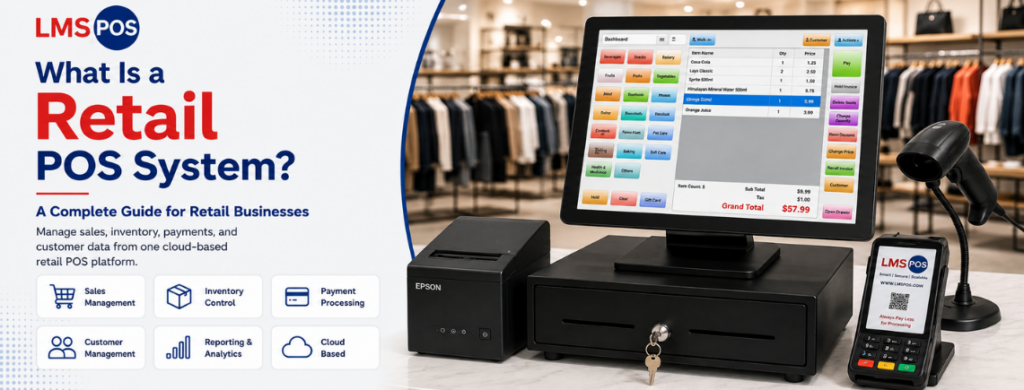
A typical POS setup will include hardware like a touchscreen terminal or tablet, a barcode scanner, a card reader, a cash drawer, and a receipt printer, and then those are tied to software that is often cloud-based.
How a POS System Works
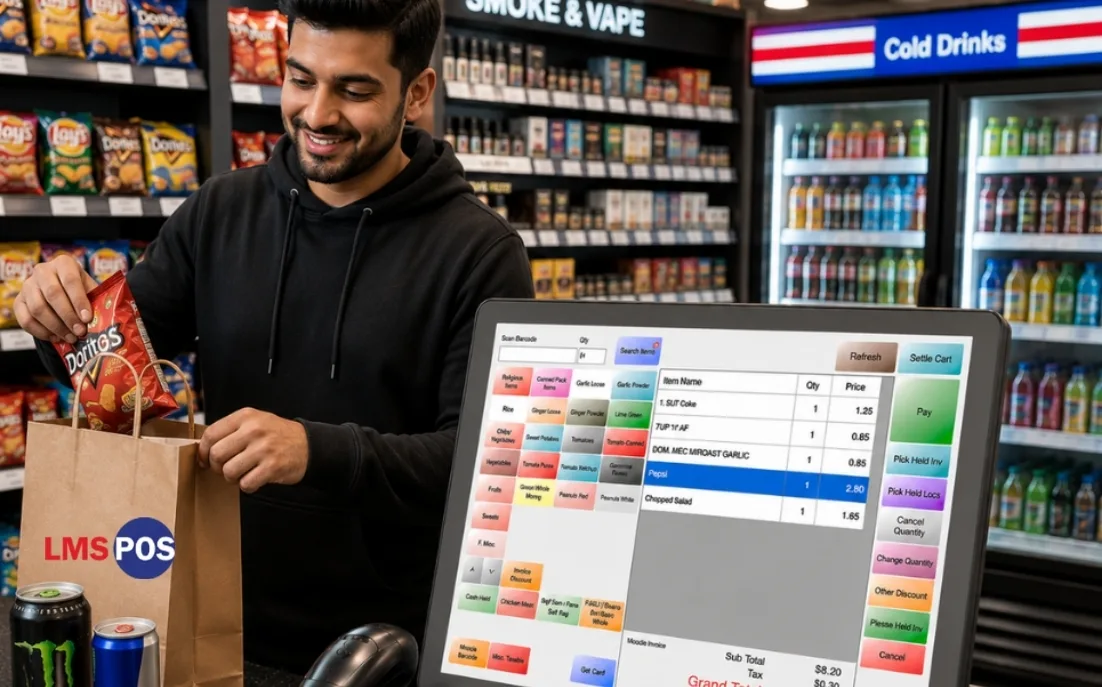
A POS system simplifies the checkout process while automatically updating your business records in real time.
Here’s how it typically works:
- Employees log in securely to start their shift.
- Items are scanned or selected, and taxes or discounts are applied automatically.
- Customers pay using cash, cards, mobile wallets, or gift cards.
- Inventory updates instantly after each sale.
- The system sends receipts by print, email, or text and saves customer purchase history when available.
- At the end of the shift, the system generates reports and highlights any cash discrepancies.
The best POS system automates sales, inventory, and reporting, helping businesses save time, reduce errors, and manage operations more efficiently.
What Makes a POS System Worth the Investment
- It’s portable. Handheld devices mean staff aren’t glued to one counter. Someone can check out a customer from the shop floor during a busy Saturday instead of forcing a queue at a fixed till.
- It manages inventory for you. Every sale deducts stock automatically. When something’s running low, the system tells you, and in some cases, it can reorder for you. No more guessing what’s actually left in the back room.
- It builds a customer picture. A POS quietly collects purchase history and buying patterns. Over time, that data becomes genuinely useful: you can spot your regulars, send them relevant offers, and stop wasting marketing budget on generic blasts.
- It gives you real reporting. You can see exactly which products sell, which ones don’t, and when your busiest hours actually are. That kind of visibility is hard to replicate with a paper ledger and a calculator.
- It handles every payment type. Cash, cards, mobile wallets, and buy-now-pay-later: a modern POS accepts all of it and logs everything in one report, so reconciling your books doesn’t turn into a scavenger hunt.
- It connects to everything else. Accounting software, e-commerce platforms, and loyalty apps are good POS plugs that integrate with your existing tools, so you don’t have to juggle five separate systems.
Want to see these features in action? Watch how LMS POS helps businesses manage sales, inventory, and payments from one easy-to-use system.
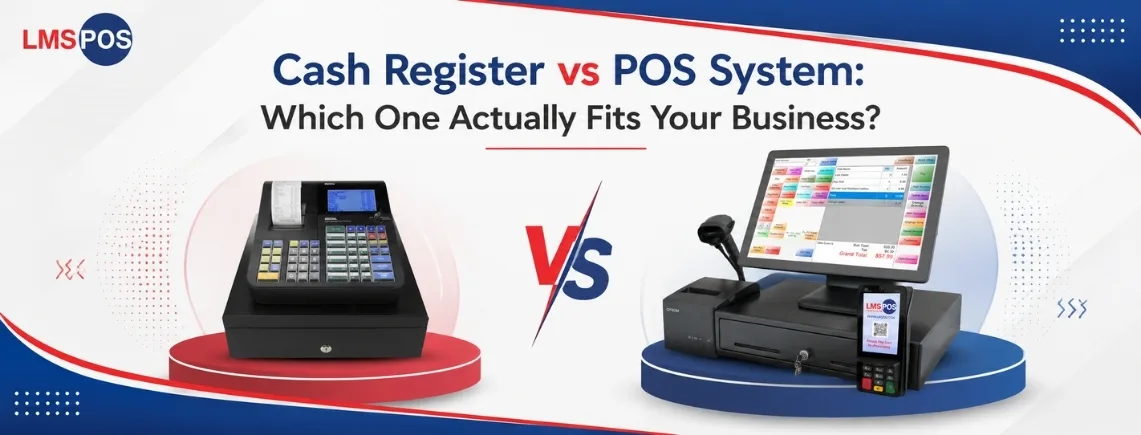
Cash Register vs. POS System: The Real Differences
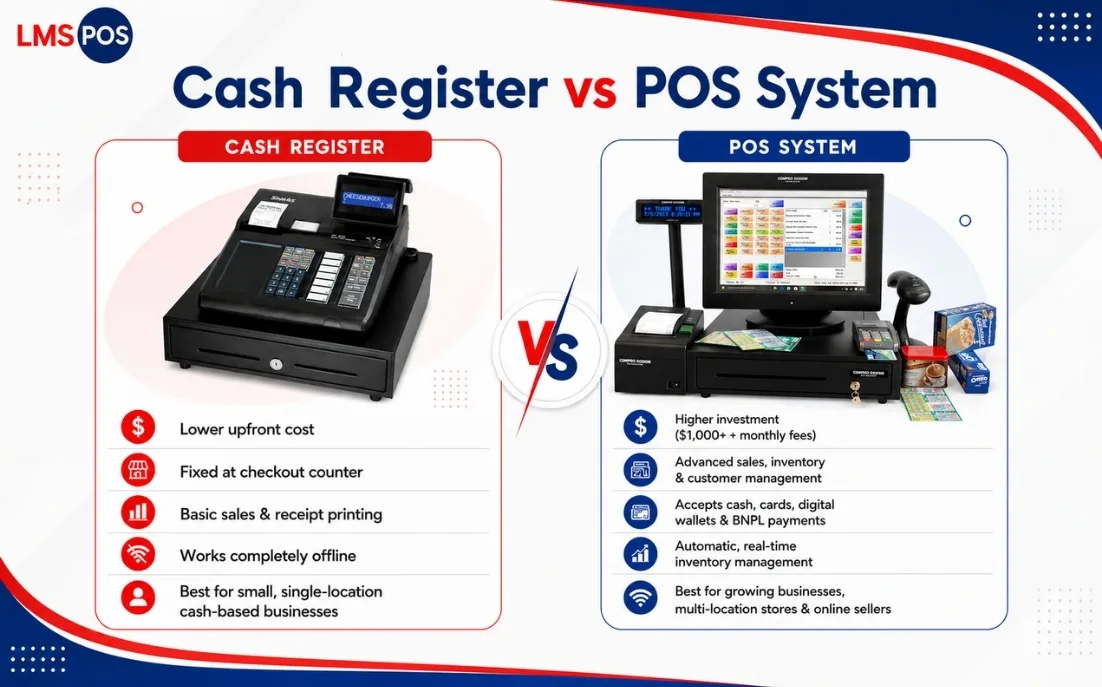
| Factor | Cash Register | POS System |
|---|---|---|
| Core Job | Rings up sales, stores cash, and prints receipts | Processes sales, tracks inventory, manages customers, and generates reports |
| Cost | Approximately $100–$500 upfront with no subscription | Usually $1,000+ to get started, plus monthly software fees |
| Portability | Fixed to the checkout counter | Works on tablets, smartphones, and handheld devices |
| Payment Types | Primarily cash; card payments require a separate terminal | Accepts cash, cards, digital wallets, and Buy Now, Pay Later (BNPL) payments |
| Inventory Tracking | None or manual tracking only | Automatic, real-time inventory management |
| Customer Data | Does not store customer information | Maintains customer profiles, purchase history, and contact details |
| Reporting | Basic daily sales totals | Detailed reports on sales, inventory, staff performance, and business trends |
| Internet Dependency | Works completely offline | Usually requires an internet connection, though some systems offer offline mode |
| Best Suited For | Small, single-location, cash-based businesses | Growing businesses, multi-location retailers, restaurants, and businesses selling online |
Still deciding between a cash register and a POS system? Schedule a personalized demo and see which solution best fits your business needs.
Can You Use a Cash Register and a POS System Together?
Yes, plenty of businesses do exactly this. Many POS systems still connect to a physical cash drawer, so you get the automation and reporting of a POS, but with a traditional-feeling drawer for staff who prefer to handle notes and coins directly. It’s one of the most common compromises in the cash register vs. POS system for small business decisions; you don’t have to fully abandon the drawer to get the benefits of modern software.
Setting this system up is usually simple:
- Check with your POS provider for a list of compatible cash drawers.
- Connect the drawer to your POS terminal, typically with a cable or a quick Bluetooth pairing.
- The drawer pops open automatically whenever a cash transaction is selected on the POS.
- At the end of the shift, the POS does the balancing math for you instead of leaving it to a calculator and a bit of luck.
This hybrid setup gives you the best of both worlds: a physical drawer for security and habit, backed by software that actually understands your sales.
How to Decide Between a Cash Register and a POS System?
Ask yourself a few honest questions before comparing an electronic cash register vs. POS system on paper:
- How many locations do you run? One shop with a simple menu? A cash register might do the job fine. Do you have multiple locations, or are you planning to open more? You’ll want a POS that syncs everything centrally.
- Do you sell online as well as in person? If you have a website or social storefront running too, a cash register just can’t keep up. A POS is close to non-negotiable here, since it keeps your online and in-store stock in sync.
- What does your monthly budget realistically look like? A register is a one-time cost. A POS is an ongoing one. Neither is wrong; it comes down to what your cash flow can absorb.
- How much do you rely on customer data for marketing? If loyalty programs, personalized offers, or email marketing matter to your growth plan, a POS gives you the raw data to make that work. A register gives you nothing to work with here.
- How reliable is your internet connection? Rural locations or venues with patchy Wi-Fi should double-check whether a POS offers offline mode before committing to one.
Every business has different checkout needs. Talk with our LMS POS specialists to find the right setup based on your store size, budget, and goals.
Ready to Upgrade Your Checkout Experience?
Whether you are ringing up groceries, pouring cold drinks, or managing age-restricted items, the right POS system makes all the difference. Explore our industry-specific solutions tailored to your business:
Liquor Store POS: Streamline age verification, inventory tracking, and complex case-break pricing.
Grocery Store POS: Handle high-volume scanning, scale integrations, and fast-paced checkout lanes with ease.
Smoke and Vape Shop POS: Manage extensive product variations, compliance tracking, and loyalty programs.
Convenience Store POS: Speed up lines with lightning-fast barcode scanning and integrated lottery sales.
Retail POS: Keep your stock levels accurate across all departments with robust inventory and employee management tools.
Final Thoughts
Cash registers vs. point of sale (POS) systems isn’t really a “which one wins” kind of decision. A cash register is still a good choice if you’re running something small, mostly cash-based, and you just need something reliable that won’t cost too much; it’ll do the job just fine. No shame in that.
But if you’re thinking about growth, selling online alongside your physical shop, or you just want to actually understand your customers and your numbers instead of guessing, a POS system earns its cost pretty quickly. It’s more of an investment than a purchase, if that makes sense.
Ready to upgrade your checkout experience? Contact LMS POS to get a quote tailored to your business requirements and growth plans.
Frequently Asked Questions
Is a cash register a type of POS system?
No, a cash register is the physical hardware that rings up a sale and stores cash. A POS system includes software layered on top of hardware, which is what adds inventory tracking, customer profiles, and reporting things a standalone register simply can’t do.
What's the main difference between a cash register and a POS system?
The main difference between a cash register is that it totals a sale, opens a drawer, and prints a receipt. A POS system does all of that plus tracks inventory in real time, stores customer data, accepts multiple payment types, and connects with your other business tools.
Are POS systems more expensive than cash registers?
Yes. A basic register might cost $100–$500 as a one-time purchase. A POS system usually starts higher upfront and comes with ongoing software or subscription fees, though many businesses find the extra features pay for themselves through better inventory control and faster checkout.
Can I upgrade from a cash register to a POS system later?
Absolutely, and plenty of businesses do exactly this as they grow. You’re not locked into your first choice. Many POS providers even let you keep a compatible cash drawer connected, so the transition doesn’t feel jarring for staff.
Are cash registers still relevant, or are they outdated?
They’re still relevant for specific situations: small, cash-heavy, single-location setups where simplicity matters more than data. That said, for most growing retail or hospitality businesses, a POS system has become the practical standard because it does so much more with barely any extra effort from staff.
What are the three core functions every register or POS must handle?
At minimum: recording what was sold and calculating the total, accepting and securing payment while returning correct change, and producing a receipt or log for later reference. A POS builds on these basics with automation, but these three jobs remain the foundation either way.

Dipesh Shrestha
Dipesh Shrestha is the co-founder of Compro Boston, the company behind LMS-POS. With over two decades of hands-on experience in point-of-sale (POS) deployment, payment processing ecosystems, and retail hardware logistics, he specializes in building secure, highly optimized checkout environments.