Quick Summary
- What it is: Two prices on display, a lower one for cash and a higher one for cards. The POS charges the right one automatically, based on how the customer pays.
- Why stores use it: The card price covers processing fees, so they stop coming out of your margin.
- Who it fits: Businesses with lots of small card sales, like liquor stores, convenience stores, grocery stores, and smoke and vape shops. LMS-POS provides a dual pricing POS for all four.
- How it differs from surcharging: Nothing gets added at checkout. Customers see both prices before they pay.
- Is it legal: Yes, when it’s properly disclosed. Rules vary by processor and program, so confirm yours.
- Debit cards: Often the card price covers debit too. Ask your provider how yours works.
- What to get right: Clear signs, receipts that show the price type, and staff who can explain it in a sentence.
- Before you go live: Make sure your processor and POS support it, then run a few test sales.
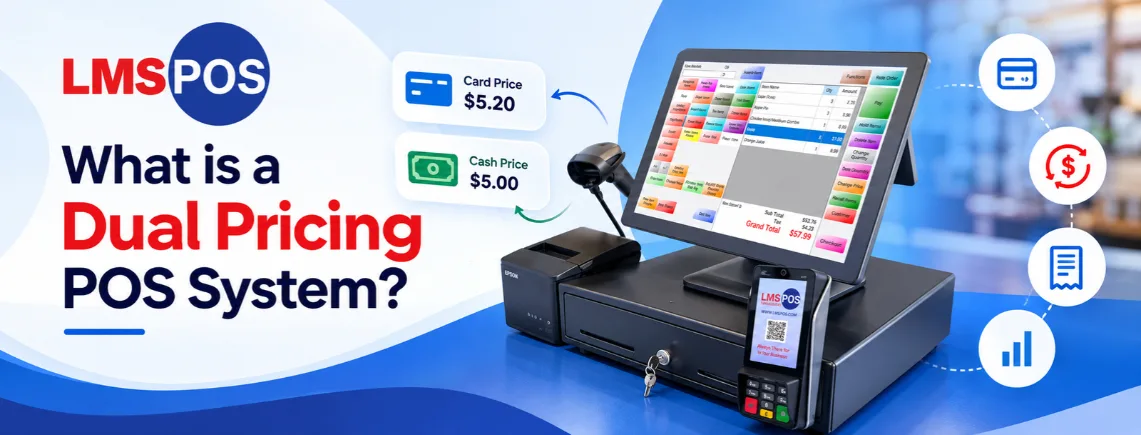
A dual pricing POS system is a point-of-sale setup that displays two distinct prices for the same product or service upfront: a lower price for cash payments and a higher price for credit or debit card payments.
The higher card price includes a built-in adjustment to cover credit card processing fees. The system applies the right price automatically based on how the customer pays, so merchants can offset or eliminate transaction costs without surprising anyone with extra fees at checkout.
When properly disclosed, it’s legal nationwide. This guide covers how it works, how it differs from surcharging and cash discounts, and what to check before you switch it on.
How a Dual Pricing POS System Works Step by Step
Picture a Friday evening at a liquor store. The line’s out the door, and your cashier is ringing up card after card. Every one of those swipes costs you a few percent. Dual pricing is built to fix that without slowing checkout down.
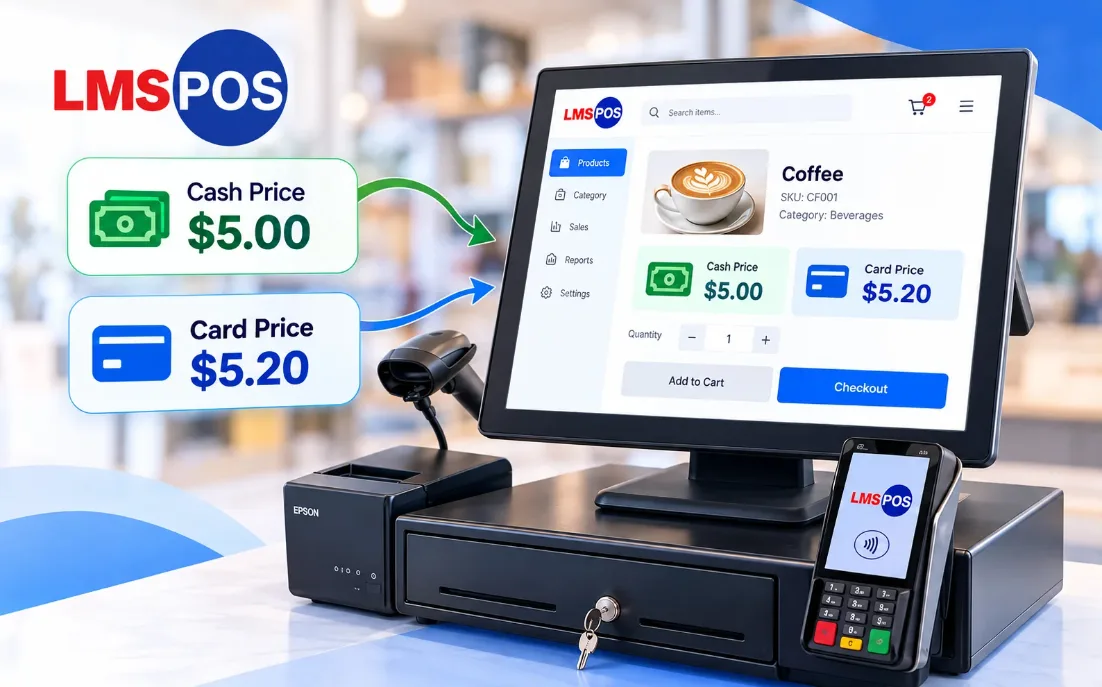
Both prices are visible before the customer decides how to pay, and the POS charges whichever one matches their payment method. Nothing is added at the end, so nobody gets caught off guard at the register.
The system handles the math, so your cashier doesn’t have to. Once it’s configured, nobody is calculating anything by hand. Here’s the flow:
- Prices are displayed upfront: Customers see the cash price and card price on shelf tags or the POS display screen before they pay.
- The customer picks a payment method: At the register, they choose cash or card.
- The POS applies the right price automatically: The system charges either the cash price or the card price, with no manual calculation.
- The price difference covers fees: The gap between the two prices covers the merchant’s credit card processing fees, so the cost comes out of the card price instead of your profit margin.
For example, a bottle of wine might show $20.00 for cash and $20.80 for card. The customer sees both on the shelf tag, picks a payment method, and pays exactly what they were shown. Your cashier doesn’t have to explain anything or add a fee at the end. (These figures are an illustration, not a typical markup.)
This is the kind of setup we build at LMS-POS. Our dual pricing POS software shows both prices at the register and applies the right one automatically, so your team doesn’t have to work anything out by hand.
Is Dual Pricing Legal in Every State?
Yes, dual pricing is legal when it’s set up and disclosed properly. Because no penalty or fee is added onto a card swipe at the end of the transaction, it complies with card-brand rules in every state when paired with clear signage. That’s why you’ll often hear that dual pricing is legal in every state.
“Properly disclosed” is the part that matters. Legal doesn’t mean automatic. Dual pricing compliance comes down to a few practical habits, and following Visa dual pricing rules and other card-brand requirements is part of it:
- Both prices are shown before payment: Customers should see the cash price and the card price before they choose how to pay.
- Signage is clear and visible: Notices should be easy to read at the entrance, at the register, and wherever prices are displayed.
- Nothing is added at checkout: The card price is the price. No separate fee appears at the end of the transaction.
- Dual pricing receipt requirements are met: The receipt should reflect the price type the customer paid, so there’s a paper trail showing what was charged and why.
- The card price is applied consistently: Every customer paying by card sees the same card price.
Skipping these can lead to complaints, chargebacks, or trouble with your processor. Rules can vary by processor and program, so confirm the details with your payment provider before launch. A short call is cheaper than fixing a compliance issue later. This is general information, not legal advice.
Dual Pricing Credit Card Processing: How the Savings Work
Every card sale normally costs you a percentage plus a fee. Over a month, that adds up fast. Dual pricing credit card processing moves that cost to the card price, so it no longer comes out of your profit margin.
For example, a shop taking $10,000 a month on cards at about 3% pays roughly $300 in fees. Under dual pricing, the card price covers that cost instead. These numbers are only an illustration, since real rates vary.
Merchants can often save up to 80% of monthly credit card processing expenses, and it’s how they offset credit card processing fees without raising prices across the board. Your results depend on your sales mix, your processor, and how many customers choose cash versus card.
Dual Pricing Retail POS: Features Every Store Needs
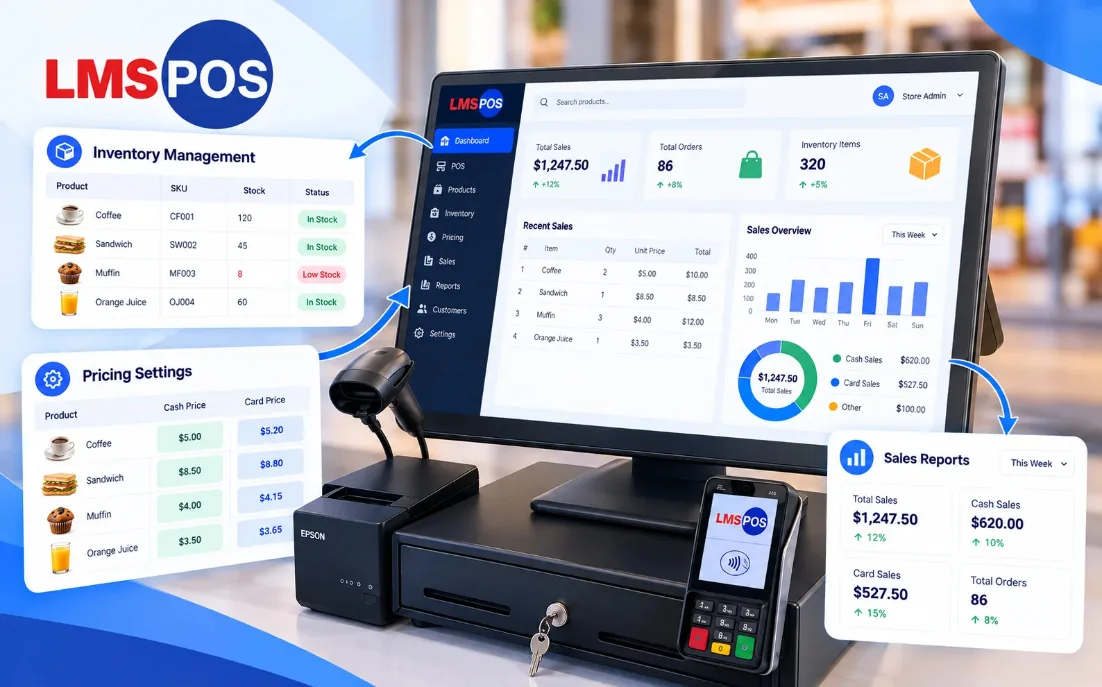
A dual pricing retail POS has to handle hundreds or thousands of items without creating extra work for your team. When it’s set up well, most of that happens quietly in the background.
Here’s what to look for:
- Both prices on the customer-facing screen: Shoppers see the cash price and the card price as each item is scanned, so there’s no surprise at the total.
- Automatic card price calculation: Good dual pricing software works out the card price from your base price, so you never maintain two price lists.
- Reports that separate cash and card sales: You can see how many customers choose each method and adjust from there.
- Your normal workflow stays the same: Barcode scanning, inventory management, and promotions should work the way they did before.
When you change a price or run a sale, the card price updates from the new base price. Nobody has to re-tag or re-enter anything twice.
Looking for a dual pricing retail POS with these features built in? See how LMS-POS brings dual pricing, inventory, promotions, and sales reports together in one system.
Dual Pricing POS Benefits and Drawbacks for Retailers
A dual pricing POS system takes fee recovery off your cashier’s plate, but it isn’t effortless. Here’s how the benefits and drawbacks line up:
Area | What you gain | What to watch |
Automation and accuracy | The POS calculates and displays cash and card prices automatically, so there’s no manual cashier math. | Setup takes some effort, including configuring the software and syncing item pricing across your inventory. |
Customer experience | Customer-facing screens show both totals upfront, so there are no surprises at the register. | Some customers may ask why the card price is higher, so your cashiers need a short, friendly answer. |
Receipts and compliance | Receipts show the exact price type paid, which keeps your records clean. | A misconfigured receipt template or POS setting can cause compliance issues with card brands. |
Cost offsetting | Card sales cover their own processing fees, without a manual surcharge. | Savings depend on your cash-versus-card mix, and some POS providers charge extra for software modules. |
How to Set Up Dual Pricing on POS in 7 Steps
Most of the work happens before you turn the feature on: checking support, setting your prices, and getting your signs up. Follow these steps in order and you’ll dodge the usual problems.
Not sure your current POS can do this? Step 1 is where you find out, before you spend anything.
- Confirm your processor and POS support it. Not every processor offers a dual pricing system, and your POS needs to display both prices and apply the right one automatically.
- Set your base pricing. Decide on your cash price, then set the card price as a markup agreed with your processor. The system calculates it from there.
- Configure receipts. Make sure each receipt shows which price type was charged.
- Install dual pricing signage. Put notices at the door, the counter, and near price displays so customers know about the dual pricing program before they buy. Say plainly that two prices are offered and the lower one is for cash.
- Train your staff. Cashiers should be able to explain it in one or two sentences. A POS implementation checklist can help you cover training and rollout without missing anything.
- Review your program rules. Check the exact signage wording and disclosure requirements with your processor, since they can differ.
- Run a few test transactions. Check cash and card totals before going live.
That last step sounds obvious, but it’s the one people skip most often. A test run catches rounding issues and display mistakes before customers do.
Common Dual Pricing POS Mistakes and How to Avoid Them
Most problems with dual pricing come from rushed launches, not from the system itself, and the same is true of many common POS mistakes. These are the slips that show up most often.
- Hiding card prices on POS screens: If your customer-facing POS display only reveals the card total at the final payment prompt, shoppers feel caught off guard. Set your POS terminal software to show both the cash and card prices side by side as items are scanned.
- Misconfiguring POS receipt templates: A POS receipt that fails to print the specific price type charged (cash vs. card) creates compliance risks and chargeback liabilities. Always test print sample POS receipts before taking live payments.
- Allowing cashiers to label POS pricing as a fee: If staff enter the card price as a manual fee button or refer to the POS card rate as a “card fee,” they create a surcharge violation. Train cashiers to select the system’s dual pricing tender keys instead of manually adding line-item fees.
- Skipping POS test transactions: Rounding errors, tax miscalculations, and terminal sync delays are easy to catch with standard test sales before launch, but painful to fix while customers wait in line.
- Neglecting POS terminal signage integration: Dual pricing compliance requires clear disclosure right at the register terminal. Ensure your POS terminal stand or checkout display clearly features physical or digital dual pricing notices.
Addressing these POS settings during initial installation prevents register delays and keeps your payment processing fully compliant.
Dual Pricing POS vs. Surcharging and Cash Discount Systems
While all three models offset processing fees, a dual pricing POS system handles calculations, receipt printing, and screen displays differently than surcharging or cash discount software.
POS Payment Model | Base Price in POS | How POS Software Handles Checkout | What the POS Displays & Prints |
Dual Pricing POS | Cash price (with built-in card formula) | Charges the cash or card price automatically based on the chosen tender button. | Displays both prices side by side upfront; receipt shows the exact price type paid. |
Cash Discount POS | Higher card price | Applies an automated discount rule when the cashier selects cash payment. | Displays the higher card price; receipt shows a negative line-item discount for cash. |
Surcharging POS | Cash price | Adds a percentage fee line-item at payment when a credit card is swiped. | Displays base cash price during scan; receipt prints a separate card surcharge fee. |
In the dual pricing vs surcharge comparison, timing is what matters. Surcharging adds a fee at the end of the transaction, which is why it’s restricted or banned in certain states. Dual pricing shows both prices upfront, so it’s legally permitted nationwide when properly disclosed.
A dual pricing cash discount setup looks similar, but the starting point is different. The shelf price is the higher card price, and cash customers get money off.
Many POS providers group these two under the same feature, so check which version your system uses.
Final Thoughts
Dual pricing isn’t a magic fix, but it’s one of the more practical ways to stop card fees from quietly eating into your profit. Done openly, with clear signs and a POS that handles the math, it tends to feel routine once your staff and customers get used to it.
The part worth getting right is the front end: confirm your processor supports it, be upfront about both prices, and make sure your team can explain it in a sentence. After that, the system does most of the work.
Want to see how dual pricing would work at your register? Contact LMS-POS for a walkthrough and answers to your questions.
Frequently Asked Questions
What is dual pricing and how does a POS system use it?
Dual pricing is a pricing method where a business shows two prices for the same item: a lower cash price and a higher card price. The POS charges whichever one matches the customer’s payment method, and both prices are visible before the customer pays.
Is dual pricing POS software legal in every state?
Yes, dual pricing POS setups are legal nationwide when properly configured. Compliant POS software displays both prices upfront on customer-facing terminal screens and prints itemized receipts that clearly state the price type charged, avoiding prohibited checkout surcharge violations.
How does a dual pricing POS differ from a surcharging POS system?
A dual pricing POS pre-calculates both prices and shows them side by side on customer screens before payment. A surcharging POS adds an extra percentage fee line-item at the final checkout screen when a credit card is swiped, which requires specific software checks to prevent charging debit cards.
Is dual pricing software the same as cash discount POS features?
Not entirely. Dual pricing POS software displays cash and card rates side by side upfront. Cash discount POS features list the higher card price as the primary item cost in inventory and automatically apply a negative line-item discount rule when cash is selected at the terminal.
How does a dual pricing POS system handle debit card payments?
Most dual pricing POS software treats debit card swipes under the standard card pricing tier since they process through payment card networks. However, your POS system settings can be configured based on your processor’s specific debit routing rules.
How much can a store save using a dual pricing POS system?
By letting the POS automatically route card transactions to cover processing fees, retailers can eliminate up to 80% of their monthly credit card processing costs. Exact savings depend on card volume and how your POS software module is structured.
What hardware and display requirements does a dual pricing POS need?
A compliant dual pricing POS setup requires a customer-facing display screen to show both price options as items are scanned, updated receipt printing capabilities to reflect payment type, and register-area signage or digital screen disclaimers.
What are the main pros and cons of implementing a dual pricing POS?
The primary benefit is automated fee offsetting without manual cashier errors. The main drawback is the initial system setup, including updating inventory price rules, configuring receipt templates, and training staff on tender buttons.

Dipesh Shrestha is the co-founder of Compro Boston, the company behind LMS-POS. With over two decades of hands-on experience in point-of-sale (POS) deployment, payment processing ecosystems, and retail hardware logistics, he specializes in building secure, highly optimized checkout environments.